Pick the trial sized for 50–100 endpoints; complete first deployment within 60 minutes. Push the agent via GPO or Intune for Windows, SSH for Linux, MDM for macOS; verify remote control connect time under 10 seconds, script execution under 30 seconds, patch discovery under 5 minutes. Create one full admin, two limited roles; enforce SSO login with MFA, session timeout 15 minutes, IP allowlist for technician access. Set a device naming convention, tag sites or departments, map escalation rules to business hours.
Target costs: desktops $3–$7 per device monthly, servers $12–$20, service desk seats $29–$59 per technician; seek 15–25% discount with annual commit or >250 endpoints, no onboarding fee, month 1 training included. Request a quote with clear inclusions: remote access, patch automation, scripting, alerting, reporting, third-party software deployment, service catalog, SLA timers, asset inventory. Demand a clause for data export via API or CSV, plus 30-day exit assistance.
First-hour rollout checklist: define global update policies; Windows reboots 02:00–04:00 local time, macOS weekly, Linux security-only daily. Alerts tuned to CPU ≥90% for 5 min, disk ≤15% free, service down with 3 probes, offline device ≥30 min. Automation: printer spooler restart on failure, browser cache purge over 500 MB, temp file cleanup over 2 GB, stale agent re-install trigger. Reporting: baseline patch compliance, mean time to resolve, top noisy endpoints, ticket backlog by queue.
Fit-for-purpose scenarios: MSP with 5 technicians covering 800–1,200 endpoints; internal IT team of 2 covering 200–400; co-managed model with shared queues plus role-based scoping per site. Outcome targets for week two: ≥95% patch compliance, ticket first response ≤15 minutes, remote job success ≥98%, alert noise cut by ≥40%. If results miss targets, request optimization help from vendor success staff, adjust policies, retest on a fresh site segment.
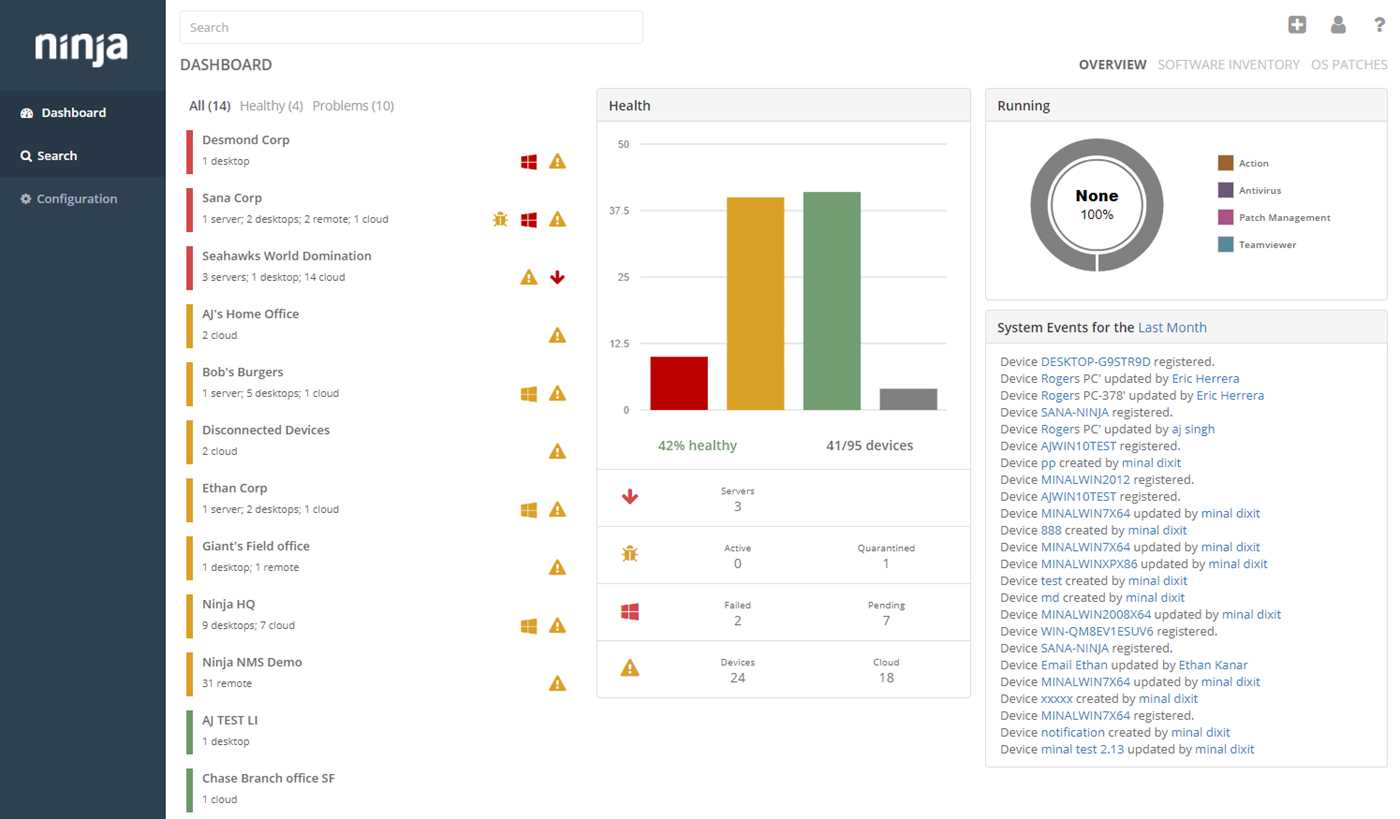
Quick win tip: import a vetted script pack, schedule it during low traffic, capture before-after metrics in a single dashboard; present the delta to stakeholders within the first 7 days to justify license counts for ninjaone expansion.
NinjaOne RMM and PSA: Features, Pricing, Setup, and Use Cases
Pick the device-mgmt + service desk bundle for 300–2000 endpoints; target $5–$8 per device monthly on an annual term; this mix delivers ticket workflows, automated patching, robust scripting, remote control, alerting, plus optional backup. Teams below 300 endpoints do well with device-mgmt only at $3–$5; large estates above 2000 endpoints often secure volume rates $2.5–$4 via quote.
Core capabilities: inventory with real-time telemetry; scripts for Windows, macOS, Linux; patch automation for OS plus 200+ third-party titles; remote access with credential vault; ticket queues with SLA, calendar, time logs; billing export to QuickBooks Online, Xero; integrations: M365, Azure AD, Duo, SentinelOne, Bitdefender.
| Package | Scope | Approx. cost (USD) per device | Best fit | Notes |
|---|---|---|---|---|
| Device mgmt only | Inventory, scripting, patching, remote control | $3–$5 | 50–300 endpoints | Fast rollout, minimal service desk |
| Device mgmt + service desk | All above plus tickets, SLAs, time logs, portal | $5–$8 | 300–2000 endpoints | Balances automation + client workflows |
| Full suite | Previous scope plus backup, documentation, MDM | $7–$12 | 500+ seats, compliance goals | Volume discounts via quote possible |
Initial configuration checklist: craft policy baselines; deploy the ninjaone agent via Intune, GPO, or shell script; define patch rings with maintenance windows; import devices into sites; set alert thresholds; build ticket queues, forms, SLAs; connect accounting, mailbox, chat; craft automation for common incidents; test remote control across WAN.
Security hardening: enable MFA for every technician; restrict roles via least privilege; require approval for elevated scripts; rotate secrets in vault quarterly; log every remote session; export audit trails to SIEM.
Automation ideas that save hours weekly: auto-remediate stopped services; quarantine machines with high CPU for 10+ minutes; clear Windows Update cache after error codes 0x8024xxx; reinstall line-of-business apps from a signed package; open a ticket with logs on every failure, notify via Teams or Slack.
Three quick wins with ninja scripts: 1) reset print spooler with recovery; 2) purge temp files older than 14 days; 3) browser cache wipe for Chrome, Edge, Firefox. Schedule via tags, trigger on alert, record outcome in the ticket.
Operational targets: patch compliance ≥95% within 7 days; first response ≤15 minutes during business hours; mean time to resolution <6 hours for P3, <2 hours for P2, <30 minutes for P1; alert noise <5% false positives per week.
Best-fit scenarios: MSP with multi-tenant estates; internal IT for 800–5000 endpoints; hybrid workforce with offsite laptops; compliance programs such as HIPAA, SOC 2, ISO 27001; budget-driven teams seeking per-device cost clarity.
Common pitfalls to avoid: policy sprawl, duplicate scripts, missing patch exclusions for legacy apps, excessive alert rules, weak naming. Normalize tags, dynamic groups, folder structure; document every policy change inside tickets.
ROI tip: monetize patch automation via per-endpoint add-on $1–$2; bill remote session blocks in 15-minute increments; align SLA credits with contract language. Manage everything from one portal; train technicians with 2-hour playbooks per role; review dashboards weekly with clients. The ninjaone agent supports Windows, macOS, Linux; ninja script templates speed remediation for printers, disk cleanup, browser reset.
Account Creation and ninjaone login / ninja one login: SSO, MFA, and Access Control
Enforce SSO as the default login path, require MFA for every person, keep exactly one break-glass admin outside SSO with a 24+ character passphrase stored in a vault.
Account creation & login
1) Create people in the IdP first, then provision to ninjaone via SCIM or just-in-time on first sign-in. Map NameID to email, pass givenName, sn, jobTitle, department, groups. 2) Configure SAML 2.0 or OIDC in the tenant: copy ACS/redirect URL, entity ID/client ID, reply URL, certificate or JWKS from the portal, paste IdP metadata, verify clock drift under 2 minutes. 3) Restrict access to verified domains only, block personal email providers. 4) Disable local passwords for regular users after SSO validation, retain a single emergency admin as noted above. 5) Turn on MFA enforcement at the platform level, not only in the IdP, so bypass paths cannot skip MFA. Prefer FIDO2/WebAuthn keys or TOTP, disable SMS except as temporary recovery. 6) For API or automation, create dedicated service principals with token scope limits, no console login, rotate secrets every 30 days.
Login hygiene: session lifetime 8 hours max, idle timeout 15–30 minutes, re-prompt MFA for high-risk actions such as policy edits, script execution, remote access. Show last login time, failed attempts, source IP on the profile page to aid self-monitoring. Alert admins on impossible travel or repeated failures. The ninja console should display an SSO-only badge once local auth is disabled, easing audits across the ninja platform.
Access control, auditing
Apply least privilege via role granularity: split read, device actions, remote control, policy edit, billing, tenant admin. Scope roles to sites, folders, tags. Deny by default for destructive actions, require MFA step-up. Enable IP allowlists for console access, restrict to corporate egress or VPN. For contractors, create time-boxed roles with expiry dates. Keep immutable audit logs for sign-ins, MFA events, role changes, API tokens, remote sessions. Export logs to a SIEM via webhook or syslog, retain 365 days or longer per policy. Review access monthly, remove dormant accounts older than 30 days. For compliance, document SSO settings with screenshots, store the change history ticket, validate with a quarterly access review.
| Control | Target | Where |
|---|---|---|
| SSO protocol | SAML 2.0 or OIDC, signed assertions, SHA-256 | IdP + tenant SSO page |
| MFA method | FIDO2/WebAuthn primary, TOTP backup, SMS off | Security settings |
| Password policy | Local login off for users, break-glass only | Authentication settings |
| Session limits | Idle 15–30 min, max 8 h, re-MFA on risky actions | Session control |
| RBAC | Custom roles per site/tag, deny destructive actions | Roles & permissions |
| Network limits | IP allowlist for console, VPN egress only | Security perimeter |
| Provisioning | SCIM with group → role mapping, auto deprovision | Directory sync |
| Audit export | Forward to SIEM in real time, 365-day retention | Logging & integrations |
| API access | Service principals only, scope tokens, rotate 30 days | API management |
| Break-glass | One offline admin, vault stored, monthly test | Admin accounts |
Quick checks: does SSO block local login for standard users, does every console session show MFA verified, do role scopes prevent cross-site edits, do audit logs capture ninja login details with source IP, user agent, method. If any answer is no, fix before granting broader access to ninjaone.
Tenant and Role Setup for MSPs: Technicians, Clients, Sites, and Permissions
Enforce SSO + MFA for every login; block legacy auth; session timeout 30 minutes idle; geo-fence per client region; IP allowlist for privileged roles.
Tenant model
Create a provider-root tenant with zero endpoints; create one tenant per customer; prohibit cross-tenant visibility; restrict provider staff via scoped roles only.
Within each customer, define Sites per office or region; cap a Site at 2,000 endpoints; map device groups to Sites; keep policy scope per Site to avoid spillover.
Naming pattern: CLI-SIT-### for device groups, CLI-SIT-ROLE for RBAC; reserve 3-letter client codes, 2-letter Site codes; prefix provider-wide roles with ninja; keep one convention across all tenants.
Client portal: tenant-bound view only; Site filter by default; export rights for named contacts only; service catalog visible per Site; no cross-client search.
Roles, permissions
L1: inventory view, remote view only, reboot, script queue for approval, no delete, no policy edit, no credential vault, ticket create/update within own Site.
L2: all L1; software deploy within Site, remote control, script run from approved library, device move within Site, integration config denied.
L3: all L2; policy edit within tenant, automation creation, mass actions gated; no permanent admin on credential vault.
Auditor: read-only across assigned Sites; secrets redacted; report export allowed.
Billing: invoices, time, quotes; no device access; no remote control.
Client Viewer: portal assets, tickets, knowledge base; no scripts, no policies.
Client Power User: remote control within own Site, script run from signed library only, software deploy from curated list, no global groups.
Two-person rule for actions touching over 100 endpoints; approver must hold L3 or higher; approval expires after 2 hours; execution window limited to business hours per Site time zone.
IdP integration: map groups to roles via SAML or SCIM; deny local passwords for high-priv roles; JIT provisioning with default L1; elevation via time-bound group (2 hours default) tied to ticket ID.
API hygiene: per tenant, create a service account with minimum scopes only; rotate keys every 90 days; store secrets in a vault; no human login on service accounts; webhook destinations restricted to provider IPs.
Change control: generate weekly diffs for role grants, Site scope changes, policy edits; review with the customer monthly; archive audit logs for 12 months; alert on privilege spikes or new global rights.
Emergency access: one break-glass account per tenant, FIDO2 only, MFA enforced, SSO bypass disabled, recovery key offline in a sealed envelope, monthly test with observer.
Risk limits: disable global delete; block unapproved scripts; require ticket link for policy edits; cap concurrent remote sessions per technician at 3; lock out after 5 failed login attempts; cool-off 15 minutes.
Onboarding flow: role templates per client tier, Site auto-creation from intake form, device naming via {CLI}-{SIT}-{TYPE}-{INC}, default scoping to primary Site, quarterly RBAC recertification with the client.
Operational tip: segregate lab gear in a dedicated Site; deny mass actions; mark as non-billable; color-coded group tag for visibility.
Compliance tip: enable consent prompts for remote control; display technician name plus ticket ID to the end user; capture session recording where policy allows.
Vocabulary alignment: reserve “ninja” prefix for provider-only roles; “client-” prefix for customer roles; “site-” prefix for local scopes; keep short slugs for quicker filtering in role pickers.
Agent Deployment at Scale: Installers, Silent Switches, and Auto-Enrollment
Generate site-specific installers with a baked enrollment key, push via your software distribution stack, run silently, verify device check-in, retire the binaries within 24–48 hours.
Windows silent install
Login to the console, create a Windows MSI tied to the target site; this embeds site assignment plus auto-enrollment. Distribute via GPO startup script, Intune, SCCM, PDQ, or your EDR’s software delivery. Install line: msiexec /i "\\fileserver\share\agent.msi" /qn /norestart. For offline networks, stage the MSI on a local share; for metered links, throttle via your delivery tool. To traverse a proxy: netsh winhttp set proxy proxy.corp.local:8080; confirm with netsh winhttp show proxy.
macOS + Linux
macOS: create a PKG tied to the site; deploy via Jamf Pro or Munki. Install line: sudo installer -pkg /path/agent.pkg -target /. For Rosetta-only software, ensure Rosetta is present prior to install on Apple Silicon: softwareupdate --install-rosetta --agree-to-license.
Linux: pick the DEB or RPM build tied to the site, or a shell bootstrapper provided by the portal. Install lines: sudo dpkg -i ./agent.deb or sudo rpm -i ./agent.rpm. For curl-based bootstrap, run as root in a non-interactive shell; pass proxy via HTTP_PROXY/HTTPS_PROXY env vars if needed.
Auto-enrollment: prefer per-site builds so no secrets sit on the CLI. If tags or device naming rules are required, set them at build time in the portal (example: tags “Prod;Server”, name pattern “HQ-%HOSTNAME%”). After rollout, confirm inventory within your device list; filter by site or tag to validate coverage. Rotate installer packages frequently; avoid sharing the same binary across tenants. Store binaries on a restricted share; remove after rollout or after help desk handoffs complete.
Troubleshooting quick checks: Windows logs in %ProgramData% subfolders; macOS logs in /Library/Logs; Linux logs in /var/log. Verify DNS, TLS egress to vendor endpoints, proxy allowlist, time sync (NTP), plus AV exclusions for the agent path.
Security tips: unique site builds per location or client, short TTL on download links, RBAC for techs who can generate installers, audit trail reviews weekly. Keep a minimal “break-glass” MSI/PKG stored in a vault for emergency redeploy.
Reference: https://docs.ninjaone.com. Keywords for context: ninja, ninjaone, login.
Device Monitoring and Alert Rules in ninja one: Thresholds, Notifications, Escalations
Set concrete baselines in ninjaone: CPU > 85% for 5 minutes, memory > 85% for 5 minutes, disk free < 15% or < 10 GB (whichever is larger), disk queue length> 2 on HDD or > 1 on SSD, temperature > 80°C on laptops or > 70°C in racks, network packet loss > 3% for 5 minutes, latency > 150 ms for 5 minutes. For SNMP nodes: link down triggers immediate critical, interface utilization > 90% for 10 minutes. For Windows events: Kernel-Power 41 or BugCheck 1001 = critical. For Linux: load average > 2 × core count for 10 minutes, failed systemd units = warning.
Sampling cadence: one minute for critical metrics (CPU, memory, ping), 5 minutes for disks or services, 15 minutes for inventory. Delay notification by 2 consecutive failed samples to curb spikes. Apply hysteresis: require 3 healthy samples to auto-clear. Enable flapping control: suppress if a monitor toggles state ≥ 3 times within 30 minutes.
Severity map in ninja: P1 = outage or data risk, P2 = performance degradation, P3 = advisory. P1 routes to SMS, phone bridge, ticket priority high. P2 routes to email, chat, ticket priority normal. P3 routes to daily digest or low-priority ticket. Configure quiet hours with on-call rotation exceptions for P1 only.
Escalation ladder: notify technician at T+0, escalate to on-call lead at T+15 if unacknowledged, escalate to team lead at T+30, escalate to manager at T+60 with post-mortem flag. Auto-close after 20 healthy minutes. Reopen logic: if the same monitor triggers 3 times within 24 hours, convert to problem record with root-cause task.
Noise control: exclude maintenance windows, pause alerts during patch windows, group by device or site to prevent floods, deduplicate within 5 minutes per monitor key. Set dependency maps so child node alerts pause when the upstream gateway is down.
Service monitors: restart on failure up to 2 attempts within 10 minutes, then raise P2. Process watchdog: alert if process missing during business hours, or if memory > 1.5 GB for 10 minutes. Disk health: SMART critical = P1, reallocated sectors > 50 = P2. Backup status: job missed or last success > 24 hours = P1 for servers, P2 for workstations.
Security checks: AV signatures older than 7 days = P2, real-time protection disabled = P1 on servers. Local admin creation outside change window = P1. Agent offline > 15 minutes for servers = P1, > 60 minutes for workstations = P2.
Auto-remediation playbooks: clear print spooler on spoolsv memory > 500 MB, recycle DNS Client if name resolution fails 3 checks, purge temp files at disk free < 10% with log attach in the ticket. If remediation succeeds, downgrade to P3, notify requester, keep audit trail.
Policy targeting: apply profiles by role (server, workstation, network), OS, site, tag. Inherit defaults at org level, override at device group. Version monitors via change control with rollback on spike in false positives > 10% within 48 hours.
Notification channels: email with JSON payload, SMS via gateway, webhook to chat tools, voice call for P1. Include device, site, monitor name, last 5 datapoints, recent changes, remediation link, ack URL.
Reporting: track MTTA, MTTR, alert volume per monitor, false-positive rate, top noisy devices. Set quarterly goals: reduce P1 by 20%, cut mean alerts per device by 30% via tuning, raise auto-remediation success rate to 60%.
Quick start checklist: enable core monitors, set one maintenance window per site, define P1/P2/P3 actions, build a 3-step escalation, test with a lab device, review noise after 72 hours, then deploy broadly in ninjaone.
Patch Management Policies: Maintenance Windows, Approval Workflows, Reboots
Adopt a three-ring policy: ring one = 5% pilot, ring two = 50% broad, ring three = 45% tail; promote only after success ≥ 95%, rollback rate ≤ 1%, no P1 incidents within 24 hours.
Maintenance windows
- Workstations: Tue–Thu 02:00–05:00 local; cache content 24 h prior; throttle to 30% CPU, 5 MB/s throughput.
- Servers: Sat 00:00–04:00 local; sequence by dependency tag; gap 15 min per node.
- Missed window logic: if offline, retry next day 02:00 with 30 min random delay.
- Mobile devices: require AC power, battery ≥ 50%, metered links blocked.
- Regional alignment: schedule by site timezone; avoid payroll closure days or quarter close.
- Exceptions via tag “ninja” for lab or demo fleets.
Approval workflows
- Security patches with CVSS v3 ≥ 8.0: auto-approve after 24 h in ring one; escalate to ring two at 48 h; ring three at 72 h.
- CVSS 7.0–7.9: auto-approve after 3 days; deploy only if pilot failure < 2%.
- Below 7.0: manual sign-off by app owner via change ticket.
- Driver, firmware, feature upgrades: delay 14 days; allow list by vendor, model, version.
- Block list: toolbars, legacy runtimes, preview builds.
- Emergency zero-day: bypass schedule for ring one now; ring two after QA smoke test; ring three post business validation.
- Third-party catalog governance: pin versions for finance or medical apps; lift pins after vendor bulletin confirms stability.
Reboots
- Workstations: prompt at 30 min, 15 min, 5 min; max 3 deferrals; hard reboot during window if not compliant.
- Servers: coordinate via maintenance plan; drain traffic, stop services gracefully; reboot one node at a time; health check URL must pass 200 for 5 min before next node.
- VDI or kiosk: silent reboot inside window; suppress popups.
- User data safety: auto close known apps with save prompts disabled via policy; notify via toast plus email at T-24h.
Quality gates, rollback, reporting
- Success criteria per ring: install success ≥ 95%, boot success ≥ 99.5%, app smoke tests pass.
- Rollback: for Windows KB, uninstall via wusa; for macOS, revert via snapshot if available; for Linux, keep previous kernel in GRUB as default for 48 h.
- Telemetry: collect failure codes, time to remediate, mean time to patch; report by site, OU, device group.
- SLO targets: security patch compliance ≥ 95% within 7 days; critical compliance ≥ 90% within 72 h.
Practical configuration hints
- Name policies with prefixes: ninja-Workstation-Prod, ninja-Server-Prod; ring encoded as R1, R2, R3.
- Set a global variable repo_label = “ninjaone” for catalog references.
- Ring mapping via dynamic queries: ring one = tag pilot; ring two = geo proximity or OU; ring three = default.
- Logs retention 180 days; ship to SIEM via syslog TLS 1.2.
Common pitfalls to avoid
- One massive window for all roles creates traffic spikes; split by role or geo.
- Skipping firmware leads to stability issues; schedule quarterly with vendor notes review.
- Unlimited retries can loop; cap at 3 attempts per patch per device.
- No user messaging yields backlash; provide clear prompts with local time, ETA, rollback contact.
Remote Access and Background Tools: File Transfer, Registry, Services, and Scripting
Enable MFA, IP allowlisting, role scoping before any remote control in ninjaone. Restrict privileges to background sessions only for junior staff. Turn on session recording plus full audit for remote control, file actions, registry edits, service changes, script runs. Keep device time in sync via NTP to preserve audit quality.
Reference for platform capabilities: https://support.ninjaone.com/hc/en-us
File transfer
Prefer the background file explorer for silent maintenance. Compress archives to shrink payloads, then verify integrity with SHA-256 on both ends. Stage uploads into a temp directory, trigger an AV scan, move to the final path only after a clean verdict. Apply direction rules: permit download from endpoints for diagnostics, limit uploads to servers with PII unless a ticket ID exists in the note field. Set bandwidth caps per technician during business hours to protect VoIP traffic. For large rollouts, seed content to a local share per site, then distribute via script to cut WAN strain.
Harden the channel: require TLS 1.2+, disable clipboard sync for admins that handle sensitive data, log filename, size, hash, initiator. Avoid overwriting system files live; schedule a maintenance window for replacements that touch locked binaries. Keep at least one previous version for quick rollback.
Registry, services, scripting
Registry: export keys before change, store backups with device name plus timestamp. Target the correct view explicitly: HKLM\Software for 64-bit software, WOW6432Node for 32-bit on 64-bit hosts. Validate permissions on protected keys, apply least privilege via run-as. After edits, query PendingFileRenameOperations to detect reboot needs.
Services: document the desired startup type, consider Delayed Start for heavy agents to speed logon. When restarting, stop dependents first, then the parent, then start in reverse order. Avoid LocalSystem for third-party services; prefer virtual accounts or gMSA where possible. Record pre-state, post-state, PID, exit code in the background tool output.
Scripting: maintain a versioned library with tags per OS, site, risk level. Parameterize with variables for paths, versions, tenant IDs. Capture stdout plus stderr, map exit codes to policy: 0 = success, 3010 = success with reboot, non-zero = failure with alert. Run as SYSTEM for maintenance tasks, run as current user for profile tweaks. For Windows, PowerShell with Set-StrictMode, $ErrorActionPreference = Stop, transcript logging to C:\ProgramData\Logs. For macOS, zsh scripts with proper shebang, launchctl for service control. For Linux, bash with set -euo pipefail, systemctl for units. Always include pre-checks to verify state before change, post-checks to confirm drift elimination.
Operational tips for ninja: favor background tools over full remote desktop for routine tasks, bundle remediation scripts with idempotent logic, schedule after-hours for noisy jobs. Keep one golden script per OS, then branch via variables per site. Align all actions with RBAC in ninjaone to prevent privilege creep.